
Effects
LEGEND APPSPreview
Spotlight and callouts
Measured attention overlays follow targets through stage scaling.
← All effects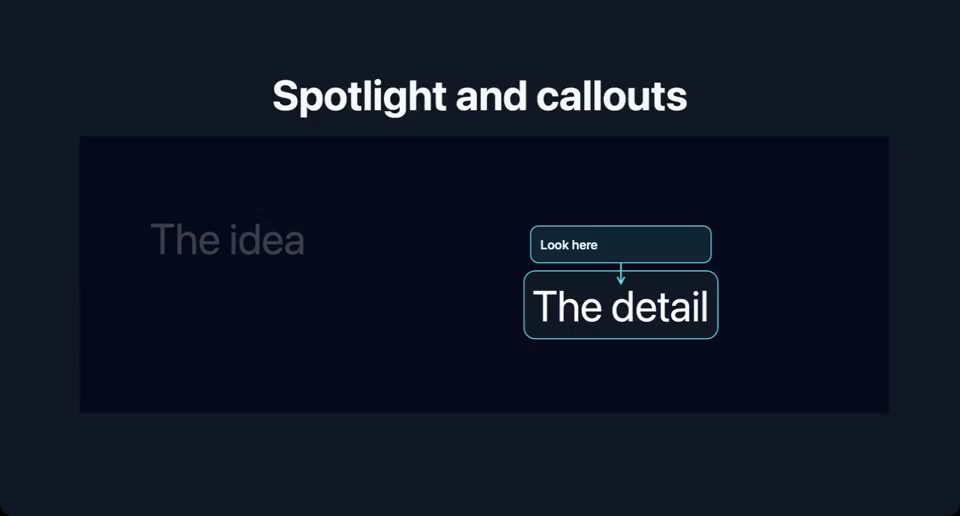
Still captured in Legend Slides for macOS (development build).
Requires a Legend Slides build with effect installation support. Installs the presenting pack (1.0.0, 22 KB source) and its dependencies. macOS host capabilities: reanimated, skia. Installed decks work offline.
Use it in a deck
---
title: Spotlight and callouts
---

import { View, Text } from "react-native";
import { AttentionStage } from "slides:presenting/Attention";
import { AttentionTarget, Spotlight, Callout } from "slides:presenting/Attention";


# Spotlight and callouts

<View style={{ width: 1696, height: 650 }}>
<Steps count={3}>{step => <AttentionStage style={{width: 1696,height: 580}}><AttentionTarget id="idea" style={{position: "absolute",left: 150,top: 160}}><Text style={{color: "white",fontSize: 90}}>The idea</Text></AttentionTarget><AttentionTarget id="detail" style={{position: "absolute",left: 950,top: 300}}><Text style={{color: "white",fontSize: 90}}>The detail</Text></AttentionTarget><Spotlight target={step ? "detail" : "idea"} /><Callout target={step ? "detail" : "idea"}>Look here</Callout></AttentionStage>}</Steps>
</View>
Configure
- target
- Use an AttentionTarget ID.
- padding / darkness
- Control the spotlight cutout and dimming.
Only imported effects enter the compiled deck. Installation and versioning →